Best USB Controllers for Retro Gaming in 2026
April 2026
If you're getting into emulation or building a RetroPie setup, the first question you'll run into is: what controller should I get?
You could use an Xbox or PlayStation controller. They work fine. But if you're playing N64 games, nothing beats an actual N64-style controller. Same for SNES, NES, and Genesis. The muscle memory is real, and the right controller makes retro games feel the way they're supposed to.
Here's a breakdown of the best USB retro controllers you can get in 2026, what they're best for, and what to look for when buying.
What to Look For
Not all USB retro controllers are the same. The cheap ones feel hollow, have mushy buttons, and sometimes don't even register inputs correctly. Here's what separates a good one from a bad one:
Plug and play. You shouldn't need to install drivers. A good USB controller works the second you plug it in on PC, Mac, or Raspberry Pi.
Button feel. The D-pad should be responsive and clicky, not mushy. Face buttons should have a satisfying press. This is where cheap knockoffs fall apart.
Build quality. It should feel solid in your hands, not like it'll crack if you grip it during a tense Mario Kart race.
Compatibility. Works with RetroArch, Project64, Snes9x, Dolphin, and any emulator that accepts standard USB input.
The Best Controllers by Console
N64 USB Controller
The N64 controller is one of the most unique controllers ever made. The three-prong grip, the analog stick, the Z-trigger - there's nothing else like it. If you're playing GoldenEye, Mario Kart 64, or Ocarina of Time, you need this shape in your hands.
Look for one with a smooth analog stick (not stiff) and responsive C-buttons. The USB cable should be at least 5 feet long so you're not sitting on top of your monitor.
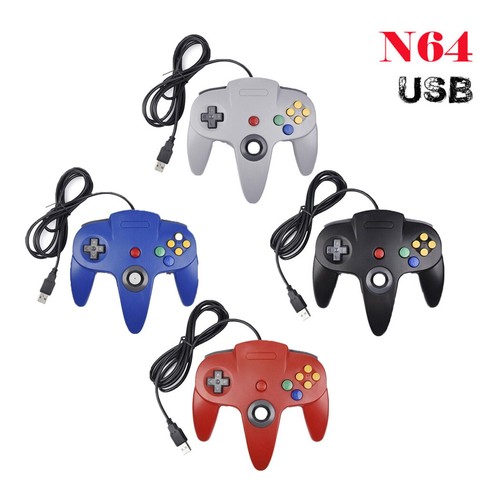
N64 USB Controller
Available in Grey, Blue, Black, and Red. Also available in translucent shells.
View controller ▸SNES USB Controller
The SNES controller is arguably the most versatile retro controller ever designed. The D-pad is perfect for platformers, the shoulder buttons opened up new gameplay possibilities, and the diamond button layout became the standard that every modern controller still uses.
For emulation, this is the one that works with the most games across the most systems. SNES games, obviously, but also GBA, NES, and even some PS1 games play great with this layout.

SNES USB Controller
Available in classic grey/purple or all-black. Wireless Bluetooth version also available.
View controller ▸NES USB Controller
Simple. Two buttons and a D-pad. That's it. And that's all you need for NES games. There's something satisfying about the rectangular shape and the minimal layout. It's the controller that started home gaming.
If you're playing through the NES library - Mario, Zelda, Mega Man, Castlevania - this is the authentic way to do it.
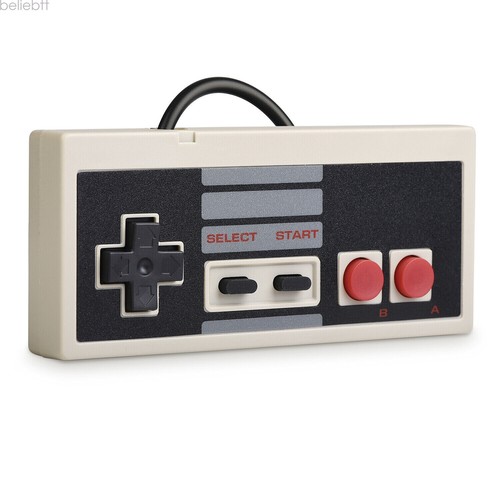
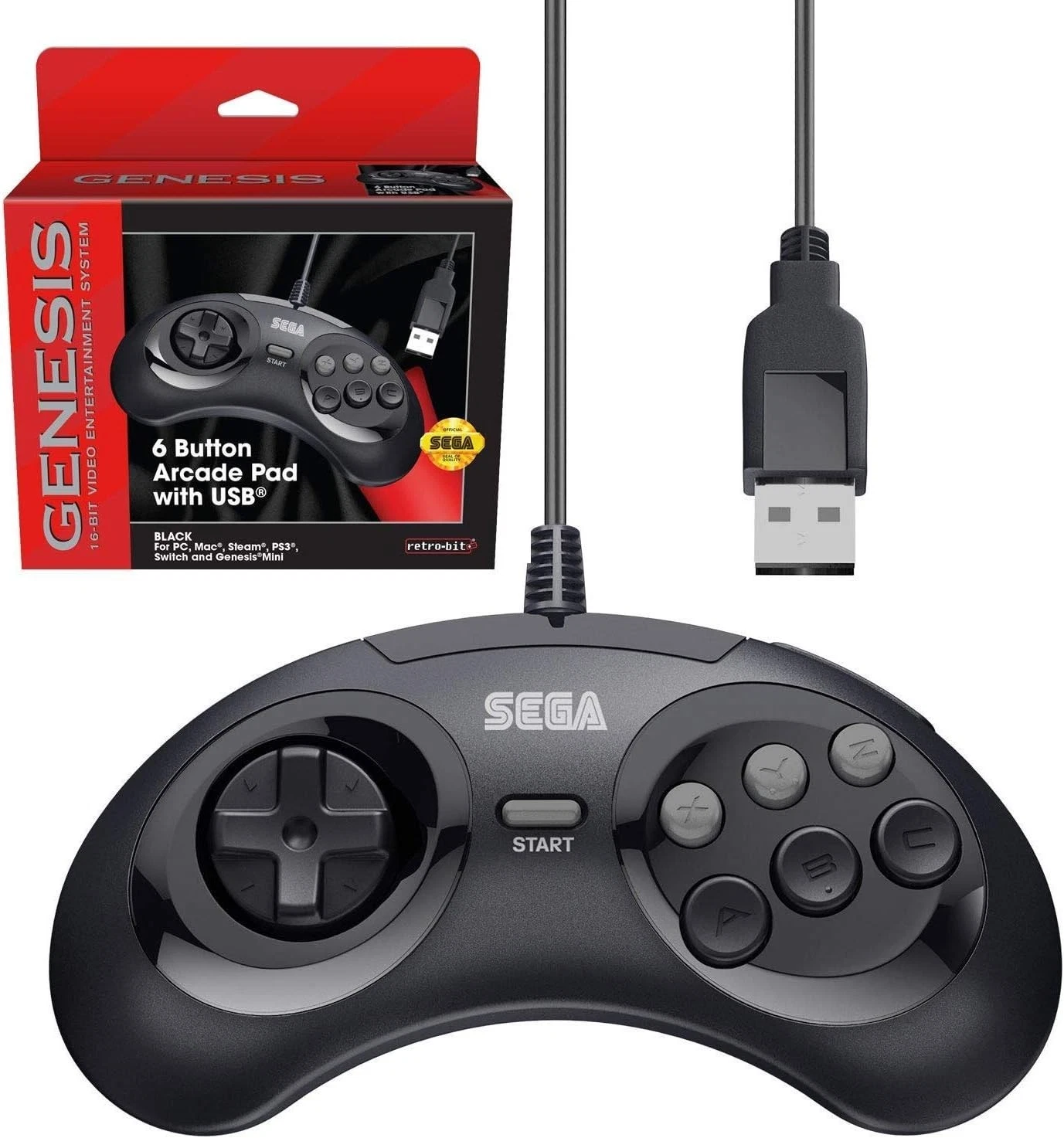
Sega Genesis USB Controller (6-Button)
If you play fighting games, this is the one. The 6-button layout was designed specifically for Street Fighter II, and it's still the best way to play fighters on a pad. The D-pad on Genesis controllers is also excellent for side-scrollers and shoot-em-ups.
Make sure you get the 6-button version, not the 3-button. The extra buttons make a huge difference for fighting games and are useful for other systems too.
GameCube USB Controller
The GameCube controller is the competitive Smash Bros. player's weapon of choice - and for good reason. The ergonomic grip, the analog triggers, the C-stick, and the unique button layout all feel incredible. With Dolphin emulator running GameCube and Wii games in HD, this controller is more relevant than ever.
A USB version means no adapter needed. Just plug it in and Dolphin recognizes it immediately.
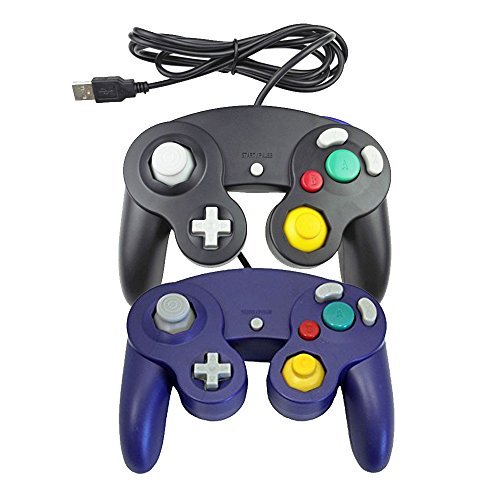
GameCube USB Controller
Available in Black, Purple, and Orange. Analog triggers included.
View controller ▸Wired vs. Wireless
For most people, wired USB is the way to go. Zero latency, no batteries to charge, no pairing issues. You plug it in and it works.
Wireless makes sense if you're gaming from a couch, using an Android phone, or have your PC connected to a TV across the room. Look for Bluetooth 5.0 and a USB receiver dongle as a backup for devices without Bluetooth.
Bottom Line
The right controller depends on what games you're playing. If you're building a full retro setup, start with the SNES controller - it covers the most ground. Add an N64 controller for N64-specific games, and go from there based on what consoles you play most.
The most important thing is that it's plug and play, feels solid, and doesn't require you to fight with drivers. Life's too short for bad controllers.
Ready to pick your controller?
Every controller ships free with a 30-day money back guarantee.
🎮 Browse Controllers